
Soundtrap: Music Making Studio
SoundtrapMusic & Audio
4.03.88K Reviews
- Version
- Varies With Device
- Installs
- 1.00M
- Age Rating
- Everyone
Screenshots
Our Review of Soundtrap: Music Making Studio
 Analysis by Appyee
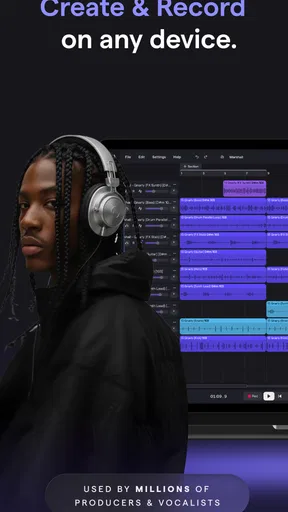
If you’ve been itching to unleash your inner musical genius without needing a room full of expensive gear, let me introduce you to Soundtrap: Music Making Studio. This app is like having a full-fledged recording studio right in your pocket. Whether you’re a seasoned musician or just starting out, Soundtrap has something to offer.
Who benefits most from a shared music workspace?
I see Soundtrap as most useful for people who want to sketch ideas, record simple parts, or work on a song with someone who isn’t in the same room. It suits a beginner who wants to try arranging without first buying a collection of instruments, and it can also help an experienced player capture a melody before it slips away. The key is to treat it as a flexible place to build a draft, rather than assuming a phone can replace every part of a dedicated recording setup.
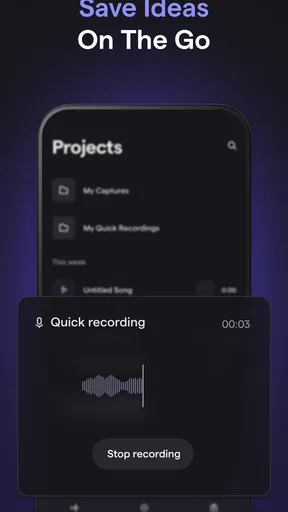
A realistic use might be a songwriter humming a chorus on the way home, then adding a rhythm and a rough accompaniment later when they have a quieter moment. A collaborator can contribute from elsewhere, so the work does not have to wait for everyone’s schedules to line up. That kind of asynchronous exchange is more practical than trying to coordinate a live rehearsal for every small change.
The app is free to start, and its Everyone age rating makes it approachable for a broad audience. Soundtrap is developed by Soundtrap and belongs to the music and audio category. Its average rating is 3.1 from around 17 thousand ratings, with about 3.8 thousand written reviews and over 1 million installs. I’d take that rating as a reminder to judge the workflow for yourself: music apps can feel very different depending on whether you’re recording, arranging, or collaborating.
Readability and navigation while creating
For a music-making app, clarity matters because a session can quickly fill with tracks, edits, and choices. I find the most useful way to approach a new project is to start with one small goal: record a vocal idea, test a beat, or build a short loop. Keeping the first session narrow makes it easier to understand the workspace before adding more layers. It also gives you a concrete result to return to instead of a cluttered project that never gets beyond experimentation.
On a small screen, editing can demand more attention than listening. A useful habit is to pause playback before making precise changes, then listen again to check the result in context. That simple loop—edit, replay, decide—helps prevent tiny adjustments from becoming guesswork. If a project starts to feel visually busy, naming or organizing parts consistently can make it easier to find the vocal, rhythm, or instrument you want to revisit.
Motor and sensory considerations in music work
Music production involves repeated taps, timing decisions, and careful listening, so the app’s convenience does not remove every physical or sensory demand. A phone can be handy for capturing a quick thought, but long editing sessions may be more comfortable on a larger screen or with a setup that suits your hands and posture. I would use mobile for rough ideas and shorter changes, then move to a more comfortable device for detailed work when that option is available.
Sound is central to the task, but not everyone can monitor audio in the same way or in every setting. When listening through speakers or headphones is inconvenient, it may be better to focus on arranging and recording at another time rather than making critical mix decisions in a noisy place. For someone sensitive to repeated playback, working in short bursts and taking breaks is a sensible way to keep the session manageable. These are practical adjustments, not a claim that the app has any particular accessibility certification.
Getting Started with Soundtrap
First off, setting up Soundtrap is a breeze. You download the app, create an account, and boom—you’re ready to rock and roll. The user interface is sleek and intuitive. Even if you’ve never mixed a track in your life, you’ll feel right at home. The app does a fantastic job of guiding you through the basics without overwhelming you.
Features That Hit the Right Note
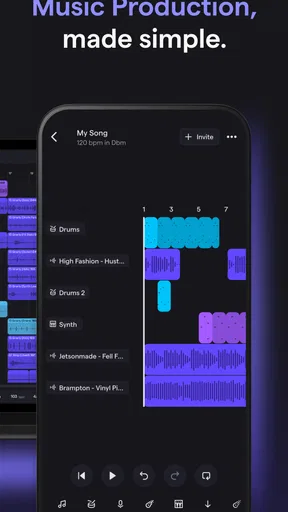
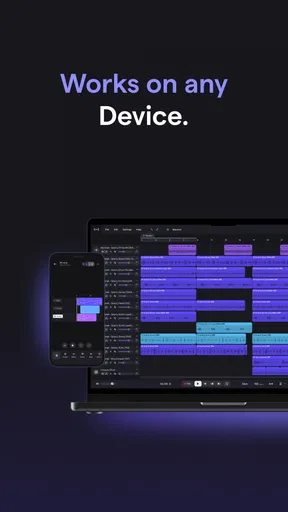
Let’s dive into the features, shall we? One of the coolest things about Soundtrap is its cross-platform capabilities. You can start a project on your phone and finish it on your laptop, all without missing a beat. It syncs seamlessly across devices, which is a lifesaver for those spontaneous bursts of creativity.
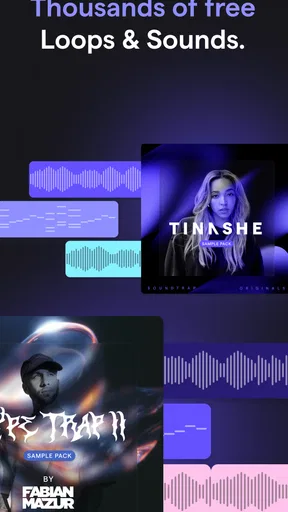
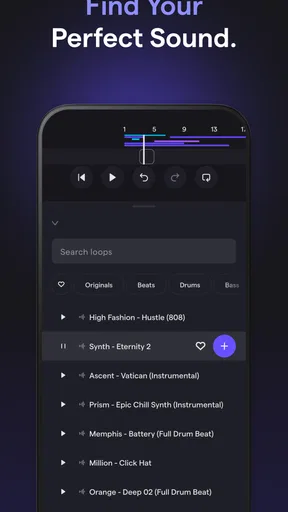
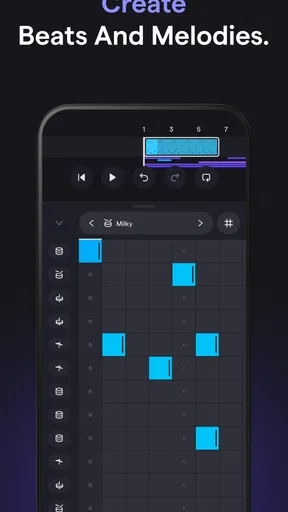
Now, onto the music-making tools. Soundtrap provides a plethora of loops and virtual instruments to get your creative juices flowing. Whether you’re into hip-hop, jazz, pop, or even orchestral compositions, there’s something here for everyone. The loops are professionally crafted, and the virtual instruments sound incredibly realistic. It’s like having a band at your fingertips.
Making a project easier to return to
Cross-device work is most valuable when you give each device a clear job. I’d use a phone to capture an idea or make a quick change, then use a laptop for longer arranging sessions where the extra screen space can help me keep the project in view. That split also limits the temptation to do fiddly edits while moving around. Before switching devices, it helps to leave the project in a state that makes the next step obvious: for example, know whether you’re refining a melody, balancing layers, or asking a collaborator for a part.
Loops can be a useful starting point, but they can also make a track feel less personal if they do all the musical work. One approach I like is to use a loop as a temporary sketch, then add a recorded melody, a changed rhythm, or a different arrangement around it. This lets you test whether the idea has its own identity before spending time polishing it. Virtual instruments are helpful when a physical instrument is unavailable, though players who need the feel and response of their own gear may prefer recording that instrument instead.
Collaboration Made Easy
One of my favorite features is the ability to collaborate with other musicians. You can invite friends to join your project, and even if they’re miles away, it feels like you’re in the same studio. It’s perfect for those who love to jam but can’t always get together in person. Plus, there’s a chat function to keep the communication flowing.
Making remote collaboration productive
Working with other people goes more smoothly when you agree on a small, specific contribution. Rather than asking a friend to “make it better,” I’d ask for a harmony on the chorus or a short percussion idea. Clear requests reduce back-and-forth and make it easier to tell whether a contribution fits. It’s also worth listening to a new part alongside the existing project before deciding what to keep; a clever solo can still compete with the vocal if the arrangement is already crowded.
Remote projects are not quite the same as playing together in a room. You lose the immediate give-and-take of a live jam, and messages can’t always resolve a musical disagreement as quickly as trying the parts in person. For a casual song with friends, that trade-off is often worth it. For a tightly rehearsed performance or a session that depends on real-time direction, meeting in person or using a setup designed around live communication may be a better fit.
Recording and Editing Like a Pro
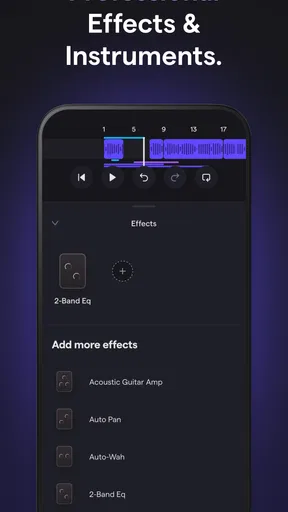
Recording your own music? Soundtrap has got you covered. Plug in your instrument or use your device’s mic to record vocals or acoustic sounds. The editing tools are robust yet easy to use. You can cut, copy, paste, and move tracks around with ease. And don’t get me started on the effects—reverb, delay, compression, you name it. It’s all there to help you polish your masterpiece.
Recording with the room you have
A device microphone is convenient for a voice memo or an early vocal take, but the room around you still affects what gets recorded. If you’re capturing an acoustic instrument or singing, a quieter space and a consistent distance from the microphone can make the result easier to work with. I’d record a short test first, listen back, and only then commit to a longer take. This catches obvious room noise or an unsuitable level before it becomes part of a full session.
Effects are best used as finishing choices rather than a substitute for a clear recording. A touch of reverb can help a dry part sit in a track, while too much can blur words or soften the attack of an instrument. Compression can make levels feel more even, but it can also change the character of a performance. I’d make one adjustment at a time and compare it with the untreated sound, especially when working on a small screen where subtle differences are easy to miss.
Inspiration at Your Fingertips
Feeling stuck? Check out the Soundtrap Community. It’s packed with tracks from other users that you can listen to, remix, or use as inspiration. It’s like having a creative support group right in the app. Plus, the community is super supportive and always willing to share tips and tricks.
Using examples without losing your own direction
Listening to other people’s work can be a practical way to break a creative block, but I’d use it to answer a narrow question rather than simply browse until I feel overwhelmed. For instance, if I’m unsure how to build a chorus, I can listen for how another track changes its energy, then try a different arrangement in my own project. Remixing can teach you how parts work together, but it is still worth changing the structure or adding your own material so the result becomes an exercise in learning rather than a copy of someone else’s idea.
This is also where Soundtrap differs from a conventional single-user recording app. A traditional recorder may feel more direct when all you want is to capture one clean take, while Soundtrap’s collaborative and creative environment is more appealing when a project involves layers, shared ideas, or experimentation. Dedicated desktop production software may offer a more comfortable setting for intricate editing, but that is not necessarily the right tool for someone who wants to start a song during a spare moment and continue it elsewhere.
Subscription Options
Soundtrap offers a free version, which is great for getting started. However, if you want access to more loops, instruments, and features, they offer several subscription plans. The premium plans aren’t exactly cheap, but considering the value you get, it’s worth every penny if you’re serious about your music.
Choosing how far to take a project
I’d begin with the free version and test the parts of the workflow I actually expect to use: recording, building an arrangement, and working with another person if collaboration matters to me. That is a better way to decide than paying for extra material on the assumption that more choices will automatically improve a song. In-app purchases range from around five dollars to about one hundred eighty-seven dollars per item, so it makes sense to check the available options carefully and think about whether a paid tier solves a real limitation in your own routine.
If you only need occasional voice notes or a quick way to record a single instrument, a simpler recorder may be less distracting. If you already rely on a specialized production program and need a highly controlled, detailed studio workflow, that may remain the better home for finished work. Soundtrap makes more sense when ease of starting, shared projects, and the ability to develop an idea across devices matter more than having every advanced control in one place.
Situational access and remaining barriers
The app can fit into spare moments, but music making still depends on having enough time and a workable environment. A commute might be suitable for thinking through an arrangement or listening to a draft, while recording a clean vocal is better saved for somewhere quieter. Likewise, collaboration helps when friends cannot meet, but a project still needs clear communication and someone willing to make decisions. The convenience is real, yet it does not remove the need for planning, careful listening, or patience.
People who find small controls difficult, who need a highly simplified interface, or who want to work for long stretches without shifting between devices may find the experience less comfortable than the word “studio” suggests. The number of possible musical choices can also be a barrier for a beginner. I’d recommend setting one modest goal for each session and stopping once that goal is met; otherwise, an open-ended project can become a maze of loops, effects, and edits rather than a finished piece.
Final Thoughts
All in all, Soundtrap: Music Making Studio is a gem for anyone passionate about music creation. It’s user-friendly, packed with features, and provides endless opportunities for creativity and collaboration. Whether you’re laying down your first track or your hundredth, Soundtrap is a fantastic tool to have in your musical arsenal. So, give it a whirl—you might just find your new favorite way to make music.
An inclusive fit, with realistic expectations
My verdict is that Soundtrap is worth trying if you want a low-friction way to turn musical ideas into shared projects. Its strongest appeal is not that it makes every part of production effortless, but that it gives beginners and collaborators a way to get a draft moving without first assembling a traditional studio. It can be useful across different routines and levels of experience, provided the interface, listening demands, and editing gestures suit the person using it.
I would choose it for songwriting sketches, remote contributions, and experiments with loops or virtual instruments. I would look elsewhere for a bare-bones recorder, a strictly live rehearsal environment, or a workstation built around highly detailed production control. If you are unsure, start with a small project and see whether the process feels understandable and comfortable before investing money or inviting others into a larger one. That is the fairest way to find out whether this particular music workspace belongs in your everyday creative life.
Verdict
Strengths of Soundtrap: Music Making Studio
- User-friendly interface for beginners.
- Cross-platform compatibility for seamless use.
- Collaboration feature enhances teamwork.
- Extensive library of loops and instruments.
- Cloud storage for easy access and backup.
Limitations of Soundtrap: Music Making Studio
- Limited features in free version.
- Requires internet for full functionality.
- Some advanced tools need subscription.
- Occasional latency issues during recording.
- Mobile app lacks desktop's full features.
Similar Picks in This Category
View All
YouTube Music
Google LLC4.4

Samsung Music
Samsung Electronics Co., Ltd.3.8

Spotify: Music and Podcasts
Spotify AB4.3

JioSaavn - Music & Podcasts
Saavn Media Limited4.3

Lark Player:Music Player & MP3
Lark Player Studio - Music, MP3 & Video Player4.6

StarMaker: Sing Karaoke Songs
SKYWORK AI PTE. LTD.4.3
Frequently Asked Questions
What platforms can I use Soundtrap on?
Soundtrap is a versatile digital audio workstation (DAW) accessible on multiple platforms. It is available for both Android and iOS devices, as well as desktop browsers. This cross-platform functionality allows users to seamlessly switch between devices, ensuring that your music projects are always at your fingertips, whether you're on a smartphone, tablet, or computer.
Is Soundtrap suitable for beginners in music production?
Absolutely! Soundtrap is designed with user-friendliness in mind, making it ideal for beginners. The intuitive interface allows new users to quickly grasp the basics of music production. Additionally, it offers a variety of tutorials and resources that guide users through the process of creating their first track, making it a great starting point for anyone new to music making.
What are the collaboration features available on Soundtrap?
Soundtrap excels in collaboration, allowing users to work together in real-time. You can invite friends or other musicians to join your project, regardless of their location. The platform supports live chat and video calls within the app, facilitating seamless communication. Collaborative features make it easier than ever to co-create and share ideas with others.
Does Soundtrap offer any free features?
Yes, Soundtrap offers a free version that includes essential features for music creation. Users can access a selection of instruments, loops, and effects without any cost. However, for advanced features like additional sound packs, automation, and higher-quality exports, users may need to upgrade to a paid subscription. The free version is a great way to get started and explore the platform.
How does Soundtrap handle audio quality and export options?
Soundtrap provides various export options to suit different needs. While the free version allows standard quality exports, premium subscribers can export in higher quality formats, such as WAV. This ensures that your music maintains its integrity across different platforms and devices. The platform is designed to handle audio with great fidelity, making it a reliable choice for serious music production.
